Tutorials

1 0 Beginner
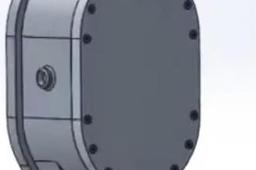
Khuôn 3 tấm có undercut Sản phẩm vỏ bọc động cơ 2 thì ( Motor Housing)

1 0 Beginner
CATIA | Learn How to Create an Axis System in 1 Minute!

1 0 Intermediate
📦 **SolidWorks – Bounding Box Command Tutorial 🎯 **Purpose of the Bounding Box The **Bounding Box** is used to automatically generate a **virtual box** that represents the smallest rectangular box that can fully enclose a part or body. It's useful for: * 📐 Estimating raw material size * 📦 Packaging design * 📊 BOM automation (length, width, height) * 🧾 CNC programming / nesting 🔧 Where to Find the Bounding Box Command 🔹 **SolidWorks Version**: Available in SolidWorks 2018 and later 🔹 **Applicable To**: * Weldment parts (structural members) * Sheet metal parts * Bodies (in multibody parts) 📍 **Location:** * **Insert ➜ Reference Geometry ➜ Bounding Box** * Or, Right-click the **Cut List Item** or **Solid Body Folder** in FeatureManager Tree ➜ *Create Bounding Box* 🧰 **How to Use the Bounding Box Command ✅ Steps: 1. 🖱️ Right-click the **Cut List Item** or the **Solid Body Folder** (e.g., under a weldment or sheet metal part). 2. ➕ Click **Create Bounding Box**. 3. 📏 SolidWorks calculates and displays the smallest 3D box around the selected body. 4. 🧾 The box dimensions appear in the **Cut List Properties** automatically as: * `Bounding Box Length` * `Bounding Box Width` * `Bounding Box Thickness` (or Height) 📝 *Tip:* You can show these values in a drawing BOM using cut list properties. 📌 **Bounding Box Options | Option | Description | | ------------------------ | ------------------------------------------------------------------- | | 🔲 **Best Fit** | Default. Creates the smallest possible box, optimized to the shape. | | ↕️ **Custom Plane** | You can define a specific orientation or plane for the box. | | ✏️ **Manual Adjustment** | Not possible – the box is always auto-calculated by geometry. | 📐 **Using Bounding Box in Drawings 1. Create a **drawing** from the part. 2. Insert a **Cut List Table** (for weldments or sheet metal). 3. Add columns for: * `Bounding Box Length` * `Bounding Box Width` * `Bounding Box Thickness` 4. 🧾 These will auto-populate from the bounding box data. 🧪 **Example

1 0 Intermediate
ABO EISHA

1 0 Beginner
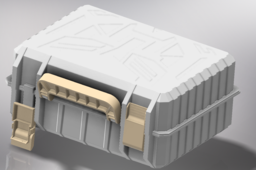
Autobots Toolbox – High-Quality 3D ModelPerfect for Sci-Fi, Game, and Animation Projects! This meticulously designed Autobots Toolbox is a must-have for any Transformers-inspired scene! Featuring high-resolution textures, intricate geometric patterns, and gold-accented details, this model brings cinematic quality to your work. Features: Highly detailed mesh for close-up renders. Available in OBJ, FBX, and STL formats for maximum compatibility Optimized topology for smooth performance Ready for game engines & 3D printing Don't miss out—grab this high-quality Autobots Toolbox today and add a touch of sci-fi excellence to your next creation! Watch the tutorial series on YouTube using the link below: https://youtu.be/TQowLj6yAEE?si=d-F3GU_wwJmrlMiG

1 0 Beginner
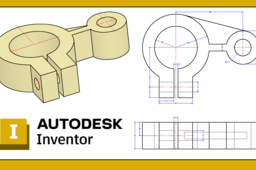
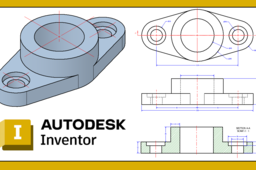
https://www.youtube.com/watch?v=zDqyHRwK88k&t=3s Ejercicio Básico 5 Autodesk Inventor || Como hacer una pieza 3d desde cero ? Esta geometría fue realizada en Autodesk Inventor con fines académicos. Para realizar esta geometría puedes encontrar el video tutorial en YouTube https://www.youtube.com/watch?v=zDqyHRwK88k&t=3s

1 1 Beginner
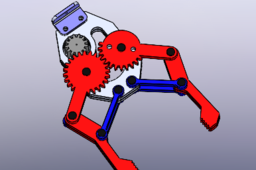
Spur gear meshing refers to the process by which two spur gears engage with each other to transmit power and motion through their teeth. Spur gears are the most common type of gears, characterized by straight teeth that are parallel to the gear axis and mounted on parallel shafts. Key Points: Contact: When two spur gears mesh, the teeth of one gear (the driving gear) push against the teeth of the other gear (the driven gear), transferring torque and rotational motion. Pitch Point: The point where the teeth of the two gears make contact is called the pitch point. At this point, the linear velocity of both gears is the same, ensuring smooth transmission. Pressure Angle: The angle between the line of action (force transmission line) and the tangent to the pitch circle is called the pressure angle, typically 20° in modern gears. It determines the shape and strength of the teeth. Line of Action: The teeth slide and roll against each other along the line of action during meshing, which ensures continuous contact and minimizes vibration. Backlash: A small amount of clearance between meshing teeth (backlash) is often maintained to prevent jamming and accommodate thermal expansion or misalignment. Spur gear meshing is ideal for low- to medium-speed applications and provides high efficiency and accurate motion transfer, making it widely used in mechanical systems such as gearboxes, clocks, and industrial machinery.

0 0 Beginner
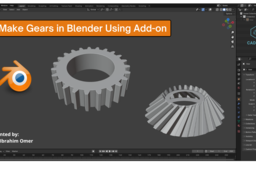
Make Gears in Blender Using Add on | Blender Extra Objects Add on | Useful Blender Add on | CADable | CADable tutorials Hi friends! Welcome back to CADable. I’m Engr. Ibrahim Omer, and in this short tutorial, you'll learn how to model gears in Blender using a handy add-on called Extra Objects. First, I’ll show you how to enable the Extra Objects add-on. Then, we’ll create two types of gears: a spur gear and a worm gear. We’ll also explore how to adjust their parameters like number of teeth, base circle, pressure angle, addendum, dedendum, and more. Chapters of the tutorial: Introduction 0:00 Enable extra objects add-on 0:38 Adding spur gear 1:00 Adding worm gear 2:45 Conclusion 3:15 If you encounter any issues, feel free to share them in the comments, and I’ll be happy to assist you. Don’t forget to subscribe to CADable for more tutorials on CAD, 3D modeling, daily quizzes, and much more! #MakeGearsinBlenderUsingAddon #BlenderExtraObjectsAddon #UsefulBlenderAddon #CADable #CADabletutorials Watch Tutorial: https://youtu.be/H5Htb6AzUL0

0 0 Beginner
https://www.youtube.com/watch?v=zkrck0gmV7o&t=6s Ejercicio Básico 3 Autodesk Inventor || Como hacer una pieza 3d desde cero ? Esta geometría fue realizada en Autodesk Inventor con fines académicos. Para realizar esta geometría puedes encontrar el video tutorial en YouTube https://www.youtube.com/watch?v=zkrck0gmV7o&t=6s

0 0 Beginner
Loft Bend - Sheet Metal

0 0 Intermediate
Gear Pump

0 0 Beginner
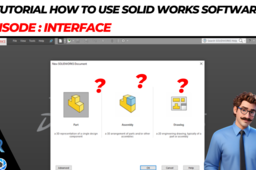
Here you will be able to learn how to understand the interface on solidworks software, * Toolsbar * Property Manager * Feature Manager * and others the goal is to make it easier to work on 3D or 2D engineering drawings, of course for beginners in learning the software. happy learning and always success More about me you can see my portfolio on bellow: /mr.abdul.said.s.t-2 /mr.abdul.said.s.t-2 /mr.abdul.said.s.t-2 Thank you very much

0 0 Beginner
I hope this video useful for everyone want to become professional design of engineer I have a channel in youtube about CAD 3D, I hope this useful for you:

0 0 Beginner
formation séance 1 solidworks

0 0 Beginner
🚀 Welcome to your ultimate 3D Design Channel! Find step-by-step video tutorials to help you master the world of 3D design. Subscribe and take your creativity to the next level! 🔗 YouTube Channel: https://www.youtube.com/@Mandiz-lu4jq/playlists