Tutorials

8 0 Beginner
**Download the drawing and modeling files for this project on my GrabCAD profile:** /library/radial-engine-486 In this comprehensive Fusion 360 tutorial, you'll learn step-by-step how to model, assemble, and animate a classic radial engine! Whether you're a beginner looking to expand your CAD skills or an enthusiast fascinated by mechanical design, this guide will walk you through the entire process. First, we'll meticulously model each component of the radial engine, from the intricate crankcase to the pistons and connecting rods. You'll gain valuable insights into Fusion 360's modeling tools and techniques. Next, we'll move on to the assembly phase, where you'll learn how to use joints to correctly position and constrain all the parts, bringing the engine to life in the digital realm. Finally, we'll animate the assembled engine, showcasing its fascinating working mechanism. You'll discover how to use Fusion 360's animation tools to create a dynamic and engaging visual representation of the radial engine in action. This tutorial is designed to be easy to follow for users of all levels. By the end, you'll not only have a fully modeled, assembled, and animated radial engine but also a deeper understanding of mechanical design principles within Fusion 360.

5 1 Beginner
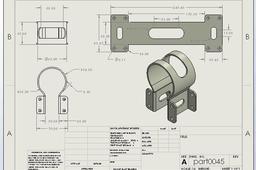
sheet metal for biggneer and intermediate level distribute details and work drawing every necessary. if you want more information about Solidwork tutorial please subscribe and follow this linke. https://youtu.be/C14FNM-iEVE?si=jb8grslMQIFBg-In

4 1 Beginner
Welcome to FarmMach Pro! 🏎️🌾 Welcome to FarmMach Pro! 🚜 👉 Subscribe Here: https://www.youtube.com/@farmmachpro 👉Powerful V-Motor Design | High-Performance 3D CAD Model! 🔥🏎️ https://www.youtube.com/shorts/m16C6BI7Pw8

3 0 Beginner
lesson to make assembling parts form multiple parts that choice from parts table misumi

3 0 Beginner
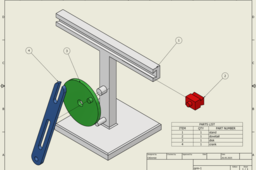
I will guide you through the process of creating an exploded view drawing of the Quick Return Mechanism assembly. We'll begin by creating a presentation file in Inventor to generate an exploded view storyboard. Next, we'll transition to the drawing environment. You'll learn how to create a new drawing from your exploded view, ensuring proper scaling and placement. A key focus will be on automatically generating a parts list (BOM) directly from your assembly data, populating it with essential information like item number, quantity, and part name. We'll then add balloons to your exploded view, linking each component to its corresponding entry in the parts list, making your drawing easy to interpret. You can find the STEP files for the Quick Return Mechanism on my GrabCAD profile, so you can follow along step-by-step. /library/quick-return-mechanism-65

2 0 Beginner
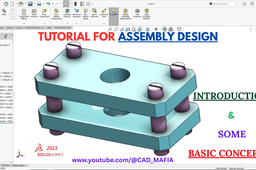
Welcome to CAD_MAFIA – your ultimate hub for mastering CAD tools! In this tutorial, we’re kicking off our SolidWorks Assembly series with a beginner-friendly Introduction to Assembly. 🔧 What You’ll Learn in This Video: What is an Assembly in SolidWorks? Understanding Parts vs. Assemblies How to insert and mate components Basic tips to avoid common beginner mistakes Whether you're a student, an engineer, or just starting out in 3D modeling, this tutorial is designed to give you a solid foundation in SolidWorks Assembly. Follow along and start building real-world mechanical projects today! 💡 Don’t forget to: 👍 Like 📩 Subscribe 🔔 Turn on notifications for more CAD tutorials every week! #SolidWorks #CADMafia #SolidWorksAssembly #3DCAD #EngineeringDesign #tutorial Channel Link: http://www.youtube.com/@UCAzC_GQZxGrXgkc6kdXWu2Q Video Link: https://youtu.be/ORTiHZoeLjk Like Facebook Page: Like Facebook Page: https://www.facebook.com/profile.php?viewas=100000686899395&id=61571270848113

2 0 Beginner
Just a quick video to show you how to make exploded views and drawings in Fusion 360. We'll use the Radial Engine model (GrabCAD link: /library/radial-engine-486) radial engine video: https://youtu.be/m3xAY4AH_Ho We'll cover: Making parts "fly apart" to show how they go together. A short animation of that process. And finally, a basic drawing with a list of parts and labels.

2 0 Beginner
you can view a lot of videos for beginner , medium and advance level solidworks this channel. this channel more 200 videos for tutorial please subscribe and like, comments https://www.youtube.com/@AutotechVision74/videos

2 0 Beginner
🏗 FreeCAD Assembly Workbench - FreeCAD 1 Tutorial - Box With Lid - FreeCAD Assemble Parts

1 0 Beginner
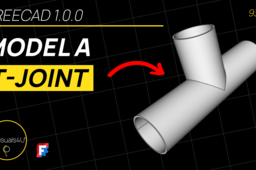
📌 FreeCAD Part Design - T-Pipe - T-Joint Model - FreeCAD 1 Tutorial - FreeCAD For Beginners

1 1 Beginner
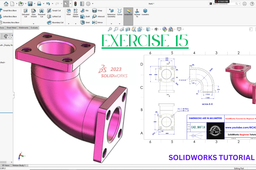
Welcome to CAD MAFIA, your go-to channel for SolidWorks Mechanical design tutorials! In this SolidWorks Tutorial for Beginners - Exercise 15, we’ll teach you how to create a Basic Flange Pipe model in SolidWorks 2023 using essential feature tools. What We’ll Learn in This Tutorial: ✅ Extruded Boss – Create solid 3D shapes ✅ Extruded Cut – Remove material with precision ✅ Fillet – Add smooth rounded edges ✅ Mirror – Achieve symmetry effortlessly ✅ Hole Wizard – Easily create standard holes ✅Chamfer- Add Smooth Angular Edges ✅Swept Boss-Create Shape with Profile & Path This step-by-step guide is perfect for beginners looking to improve their 3D modeling skills in SolidWorks 2023. 🔥 Don’t forget to SUBSCRIBE to CAD MAFIA and hit the 🔔 bell icon to stay updated with more beginner-friendly tutorials! 📌 Watch now and start designing with confidence! 🚀

1 0 Beginner
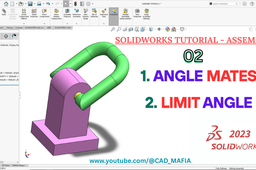
In this tutorial you will learn how to apply Angle Mate & Limit Angle in SolidWorks Assembly Design. Please Like, Share & Subscribe Our Channel for more Tutorial Video. Video Link: https://youtu.be/7tu6_5WGn8k #anglemate #limitangle #solidworkstutorial #solidworks2023 #solidworks #cadmafia #learnsolidworks #Solidworksassembly

1 0 Beginner
I hope this video useful for everyone want to become professional design of engineer I have a channel in youtube about CAD 3D, I hope this useful for you

1 0 Beginner
CATIA | Learn How to Create an Helix in 2 Minutes!

1 0 Beginner
In this tutorial, we dive deep into the Revolve Command in Siemens NX CAD software. Whether you're a beginner or looking to refresh your skills, this video walks you through everything — from sketch creation to setting the revolve axis, angle, and direction with real-time demonstrations. This tool is essential for creating symmetric 3D features from 2D profiles, and we make it easy to understand! 🎯 What You’ll Learn: How to start a revolve feature Choosing the correct sketch and axis Adjusting revolve angles and options Practical tips to avoid errors