Tutorials

3 0 Beginner
lesson to make assembling parts form multiple parts that choice from parts table misumi

3 1 Beginner
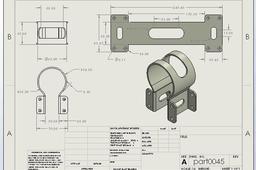
sheet metal for biggneer and intermediate level distribute details and work drawing every necessary. if you want more information about Solidwork tutorial please subscribe and follow this linke. https://youtu.be/C14FNM-iEVE?si=jb8grslMQIFBg-In

1 0 Intermediate
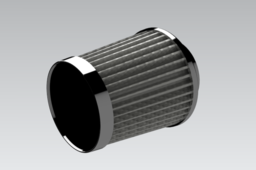
Welcome to our tutorials! In this video, we demonstrate the complete 3D modeling process of a car air filter using Siemens NX (Unigraphics NX) software. Whether you're a student, design engineer, or CAD enthusiast, this tutorial will guide you through step-by-step techniques for designing a realistic and functional automotive air filter in a professional CAD environment. 🔍 What you’ll learn: Basic sketching and extrusions Use of Boolean operations and pattern features Parametric modeling for part design Surface modeling essentials (if used) Assembly design tips (if applicable) Industry-level design techniques used in automotive part modeling 📌 Software Used: Siemens NX / NX Unigraphics 📌 Difficulty Level: Beginner to Intermediate 📌 Suitable for: Mechanical Engineers, CAD Designers, Automotive Design Students

1 0 Beginner
🏗 FreeCAD Assembly Workbench - FreeCAD 1 Tutorial - Box With Lid - FreeCAD Assemble Parts

0 0 Beginner
formation séance 1 solidworks

0 0 Intermediate
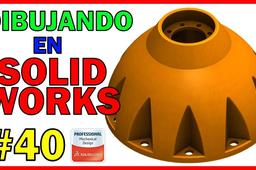
DIBUJANDO en SOLIDWORKS - 40 - SCC 001 Un abrazo y nos vemos en el próximo video ¡¡

0 0 Beginner
🚀 Welcome to your ultimate 3D Design Channel! Find step-by-step video tutorials to help you master the world of 3D design. Subscribe and take your creativity to the next level! 🔗 YouTube Channel: https://www.youtube.com/@Mandiz-lu4jq

0 0 Beginner
urutan cara memisah bagian core dan cavity

0 0 Beginner
this step is to show how drawing the bottle

0 0 Beginner
Khuôn 3 tấm có undercut Sản phẩm vỏ bọc động cơ 2 thì ( Motor Housing)

0 0 Beginner
this lesson is step to drawing the bottle

0 0 Expert
Estrenamos la sección, charlando un poco con una persona que sabe, pero que sabe de verdad sobre Solidworks. Con una trayectoria muy larga dentro del mundo del diseño y de la ingeniería; tenemos la oportunidad de que Adán nos cuente cosas sobre su experiencia en el mundo laboral como diseñador e ingeniero; así como desarrollador de producto. En su palmarés podemos encontrar muchas certificaciones de SolidWorks que avalan todo lo que, al menos bajo papel domina Adán como por ejemplo. - Certified Enterprise PDM Administrator. - Certified SolidWorks Associate - Simulation. - Certified SolidWorks Associate. - Certified SolidWorks Expert. - Certified SolidWorks Professional. - Certified SolidWorks Professional - Advanced Drawing Tools. - Certified SolidWorks Professional - Advanced Mold Tools. - Certified SolidWorks Professional - Advanced Sheet Metal. - Certified SolidWorks Professional - Advanced Surfacing. - Certified SolidWorks Professional - Advanced Weldments. - Certified SolidWorks Professional - Data Management. - Certified SolidWorks Professional - Simulation. - Certified SolidWorks Simulation - Advanced Motion. - Certified SolidWorks Specialist - Composer. - Certified SolidWorks Specialist - Data Management. - Certified SolidWorks Specialist - Electrical. - Certified SolidWorks Specialist - Mechanical Design. - Certified SolidWorks Specialist - Plastics. - Certified SolidWorks Specialist - Simulation. - Certified SolidWorks Specialist - Training Mechanical Design. Como todos sabéis, si oficialmente sus conocimientos son tan amplios... extraoficialmente su conocimiento de Solidworks es mucho más extenso. Ha sido un placer hablar con una persona tan real como lo es Adán. Le deseo lo mejor en su camino y que siga cumpliendo sus metas como hasta ahora viene haciendo. Si te gusta este contenido; te sugiero que des tu apoyo subscribiéndose y dejando un buen like. Nos vemos pronto.

0 0 Beginner
Spur gear meshing refers to the process by which two spur gears engage with each other to transmit power and motion through their teeth. Spur gears are the most common type of gears, characterized by straight teeth that are parallel to the gear axis and mounted on parallel shafts. Key Points: Contact: When two spur gears mesh, the teeth of one gear (the driving gear) push against the teeth of the other gear (the driven gear), transferring torque and rotational motion. Pitch Point: The point where the teeth of the two gears make contact is called the pitch point. At this point, the linear velocity of both gears is the same, ensuring smooth transmission. Pressure Angle: The angle between the line of action (force transmission line) and the tangent to the pitch circle is called the pressure angle, typically 20° in modern gears. It determines the shape and strength of the teeth. Line of Action: The teeth slide and roll against each other along the line of action during meshing, which ensures continuous contact and minimizes vibration. Backlash: A small amount of clearance between meshing teeth (backlash) is often maintained to prevent jamming and accommodate thermal expansion or misalignment. Spur gear meshing is ideal for low- to medium-speed applications and provides high efficiency and accurate motion transfer, making it widely used in mechanical systems such as gearboxes, clocks, and industrial machinery.