Tutorials

5 1 Intermediate
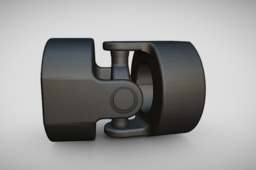
Welcome to this comprehensive tutorial on 3D modeling a Universal Joint using Siemens NX software. Whether you're a mechanical engineering student, CAD designer, or enthusiast, this video walks you through every step of designing a realistic Universal Joint—a key component in mechanical power transmission systems. 🔧 What You’ll Learn in This Video: - Basics of part modeling in NX Siemens - Creating sketches and applying constraints - Extruding and revolving features for mechanical components - Assembling parts of the universal joint - Real-time modeling tips and best practices 🛠️ About the Universal Joint: A universal joint, also known as a U-joint, is a joint or coupling that allows shafts to rotate freely when they are not in a straight line. Commonly used in vehicle drive shafts and industrial machinery, it enables torque transmission at varying angles. ⚙️ Software Used: Siemens NX - A powerful and versatile CAD/CAM/CAE software for 3D modeling and engineering design

2 0 Intermediate
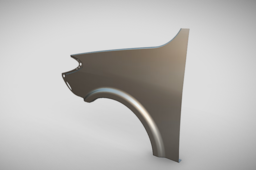
Welcome to our step-by-step tutorial on 3D modeling a car fender using Siemens NX! In this video, you'll learn how to create a precise and professional automotive fender model from scratch using advanced surfacing tools and parametric design techniques in NX CAD software. Whether you're a mechanical design student, an automotive engineer, or just passionate about CAD, this tutorial will help you understand real-world design practices used in the automotive industry. 🔧 What you'll learn in this video: - Setting up your design environment in Siemens NX - Sketching the base profile of the fender - Using extrude, revolve, and sweep commands - Surface modeling techniques for complex curves - Adding design details like mounting points and edge flanges - Finalizing the model with proper constraints and dimensions - Tips for preparing the part for simulation or manufacturing ⚙️ Software Used: Siemens NX - A powerful and versatile CAD/CAM/CAE software for 3D modeling and engineering design.

2 0 Intermediate
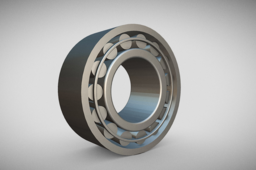
In this video, we demonstrate the complete 3D modeling process of a Tripodial Ball Bearing, a crucial component used in automotive drive shafts and CV joints. Using Siemens NX (Unigraphics) CAD software, we take you step-by-step through the precision modeling of this complex part, focusing on design accuracy, realistic geometry, and CAD best practices. What You’ll Learn in This Video: Introduction to Tripodial Ball Bearing and its automotive application Sketching and parametric design techniques in Siemens NX 3D feature creation including extrude, revolve, and boolean operations Assembly design considerations for bearing movement and fit Visualization and rendering tips for presenting your final model Whether you’re a mechanical design engineer, automotive enthusiast, or CAD student, this tutorial will help you understand not just how to model, but also why certain design decisions matter in real-world engineering. ⚙️ Software Used: Siemens NX - A powerful and versatile CAD/CAM/CAE software for 3D modeling and engineering design.

1 0 Intermediate
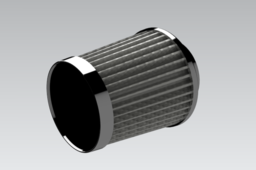
Welcome to our tutorials! In this video, we demonstrate the complete 3D modeling process of a car air filter using Siemens NX (Unigraphics NX) software. Whether you're a student, design engineer, or CAD enthusiast, this tutorial will guide you through step-by-step techniques for designing a realistic and functional automotive air filter in a professional CAD environment. 🔍 What you’ll learn: Basic sketching and extrusions Use of Boolean operations and pattern features Parametric modeling for part design Surface modeling essentials (if used) Assembly design tips (if applicable) Industry-level design techniques used in automotive part modeling 📌 Software Used: Siemens NX / NX Unigraphics 📌 Difficulty Level: Beginner to Intermediate 📌 Suitable for: Mechanical Engineers, CAD Designers, Automotive Design Students