Tutorials

1 0 Beginner
CATIA | Learn How to Create an Helix in 2 Minutes!

2 1 Intermediate
In this detailed SolidWorks tutorial, you'll learn how to design, assemble, and animate a classic radial engine step by step. Perfect for beginners and mechanical design enthusiasts alike, this guide will walk you through the entire process using SolidWorks' powerful features. We’ll begin by creating every individual part of the radial engine — from the complex crankcase to the pistons, connecting rods, and other essential components. As you model these parts, you'll become familiar with key SolidWorks tools and best practices for precision mechanical design. Once all components are ready, we'll move into the assembly stage. You'll discover how to use mates to position each part accurately and simulate realistic movement within the engine. This phase will show you how to bring multiple parts together into a fully functioning mechanical assembly. Finally, we’ll explore SolidWorks’ animation capabilities. You’ll learn how to create a motion study to simulate the engine’s operation and visualize the synchronized movement of the pistons and crankshaft — a great way to understand the internal mechanics of a radial engine. By the end of this tutorial, you’ll have a fully modeled, properly assembled, and smoothly animated radial engine. More importantly, you’ll gain solid experience with SolidWorks tools and a deeper appreciation for mechanical design principles.

2 0 Intermediate
I have prepared a training session on nonlinear bending analysis of sheet metal parts in SolidWorks. In this training, you will be able to easily examine the stress concentration areas of the parts. Based on the analysis results, you will be able to evaluate material piling and tearing. You will also be able to obtain deformation data and prepare detailed reports.

2 0 Beginner
you can view a lot of videos for beginner , medium and advance level solidworks this channel. this channel more 200 videos for tutorial please subscribe and like, comments https://www.youtube.com/@AutotechVision74/videos

0 0 Beginner
formation séance 1 solidworks

0 0 Beginner
🚀 Welcome to your ultimate 3D Design Channel! Find step-by-step video tutorials to help you master the world of 3D design. Subscribe and take your creativity to the next level! 🔗 YouTube Channel: https://www.youtube.com/@Mandiz-lu4jq/playlists

3 0 Beginner
lesson to make assembling parts form multiple parts that choice from parts table misumi

0 0 Intermediate
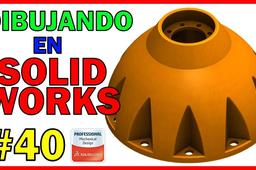
DIBUJANDO en SOLIDWORKS - 40 - SCC 001 Un abrazo y nos vemos en el próximo video ¡¡

0 0 Beginner
Enhance your product designs with this high-quality cereal dispenser 3D model, meticulously crafted in Autodesk Inventor Professional. Detailed design—accurate dimensions and realistic component assembly. Assembly simulation—step-by-step construction visualization. Exploded views—Comprehensive breakdown for easy identification of parts. Tap-turning simulation—See the dispensing mechanism in action! Ideal for engineering demonstrations, product prototyping, and CAD presentations. Whether you're refining a manufacturing process or showcasing a concept, this model provides an intuitive and dynamic representation.

4 2 Expert
ABOEISHA

2 0 Beginner
🏗 FreeCAD Assembly Workbench - FreeCAD 1 Tutorial - Box With Lid - FreeCAD Assemble Parts

0 0 Beginner
🎯 Welcome to CAD MAFIA – Your ultimate destination for mastering CAD design with precision and style! 🛠️ In this SolidWorks Assembly Tutorial-3, we dive deep into "Distance Mate & Limit Distance" — essential tools for controlling part motion and placement in assemblies. Whether you're a beginner learning the ropes or an engineer refining your skills, this video will help you: ✅ Understand the purpose and use of the Distance Mate ✅ Learn how to apply Limit Distance Mates for motion control ✅ Avoid common mistakes and build smarter assemblies 🚀 Subscribe for high-quality tutorials, pro tips, and project-based learning in SolidWorks, AutoCAD, and more. Join the CAD MAFIA — where we design like pros and learn like legends!

1 0 Intermediate
Sheet Metal Design and Press Brake Application in SolidWorks — Training Content Module 1: Introduction to Sheet Metal Design Objectives: Understand the fundamentals of sheet metal parts. Learn about bend allowances, K-factor, and design constraints. Familiarize with sheet metal design standards for manufacturing. Topics Covered: What is Sheet Metal Design? Common Manufacturing Methods (Laser Cutting, Press Brake Bending) Overview of Material Properties Design Guidelines for Sheet Metal Module 2: SolidWorks Sheet Metal Tools Overview Objectives: Explore SolidWorks sheet metal feature set. Understand the difference between solid and sheet metal modeling. Topics Covered: Sheet Metal Toolbar Sheet Metal Parameters: Thickness, Bend Radius, K-Factor Base Flange/Tab, Edge Flange, Hem, Jog, Sketched Bend Flatten and Unflatten Features Exercise: Open a new part. Enable the Sheet Metal tab. Use the Base Flange/Tab feature to create a 2mm thick sheet base. Add Edge Flange to create a simple box shape. Module 3: Creating a Sheet Metal Part Objectives: Create a real-world sheet metal component from scratch. Understand best practices for designing for bending. Step-by-Step: Start with Base Flange/Tab to define the main shape (e.g., rectangular plate). Add Edge Flanges to form sides (adjust angle and length). Add Reliefs for bends (Tear, Obround, or Rectangular). Use Sketched Bend to simulate press brake bends manually. Apply Corner Treatments (Corner Relief, Corner Trim). Check Flat Pattern for laser cutting and press brake compatibility. Module 4: Understanding Bend Calculations Objectives: Learn how SolidWorks calculates bend allowances. Apply correct K-Factor for accurate flat pattern dimensions. Topics Covered: Bend Allowance vs. Bend Deduction K-Factor Explanation (Typical values: 0.3 to 0.5) How to set custom bend tables in SolidWorks Controlling bend direction and bend radius Exercise: Create a U-shaped bracket. Calculate the flat length manually and compare with SolidWorks flat pattern. Modify the K-factor and observe changes. Module 5: Exporting for Manufacturing Objectives: Prepare a design for laser cutting and bending. Generate flat patterns and technical drawings. Topics Covered: Creating 2D Flat Pattern View in Drawings Adding Bend Notes and Bend Lines DXF/DWG Export for Laser Cutting Assigning Bend Directions (Up/Down) Exercise: Generate a drawing of your sheet metal part. Add a Flat Pattern view. Ann

0 0 Intermediate
You can quickly prepare a sub-assembly of a radial engine lower assembly in SolidWorks using assembly mates. Trying different methods will help you improve. I invite you to follow along. By applying different techniques, you can learn the design modules in SolidWorks at an advanced level using my methods. https://youtu.be/at5PUDZUuOI

2 0 Expert
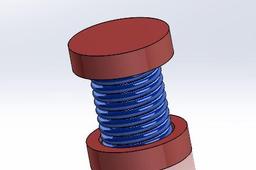
I have prepared a tutorial on creating a spring using the Sweep command and designing a mechanism that opens and closes. By watching and following this tutorial, you can easily create springs and similar opening-closing mechanisms in SolidWorks.